Hello @Bad_Beat , thank you for bringing this matter to our attention, we have noticed it on our end and worked on fixing it, you should be getting a VPN prompt now.
Please let me know if you face any further issues.
Seems to be working now thanks
The same issue is happening with my proxy now. Is there not a permanent solution to this? I tried all the steps you mentioned above and none helped so far. Could you please look into this. VPN tunnel is not working. It was working fine 5-6 hours back.
I even reinstalled the app but that too didn’t help.
Hello @Z_K ,
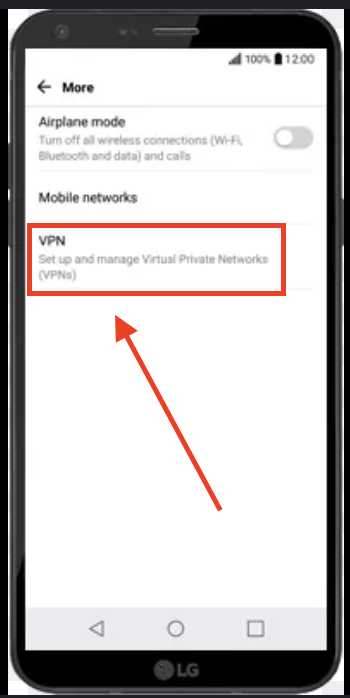
I’m sorry to hear that you’re facing issues, could you please head to your phone Settings >> Network >> More >> VPN and provide us with a screenshot from there?
2 Likes
I’m facing the same problem as well.
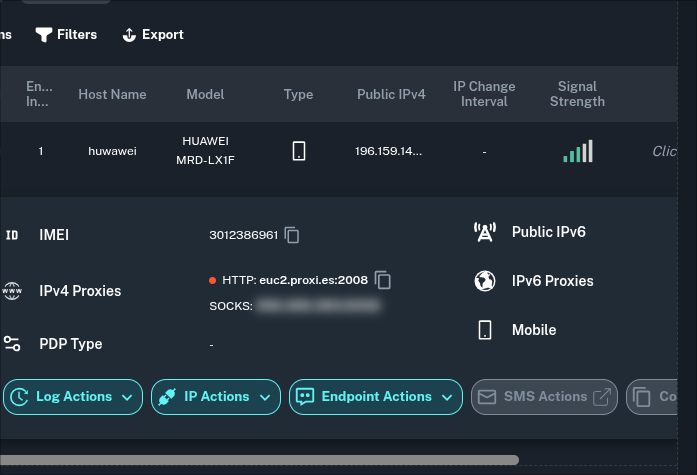
The vpn icon in the top bar is visible, the device is connected, and listed out in my hosts, but in the endpoints it gives me a red dot next to the ipv4 proxy property.
Hello @kqvanity,
I hope you’re doing well. Have you had the opportunity to look into @Basketball19 request? We kindly need a screenshot from the following steps:
- Go to Settings on your phone
- Navigate to Network
- Select More
- Choose VPN
- Please provide us with a screenshot from that section.
Please let me know if you have any further questions or concerns.
Thank you!
@SaifShisha
Can you please take a look into it?
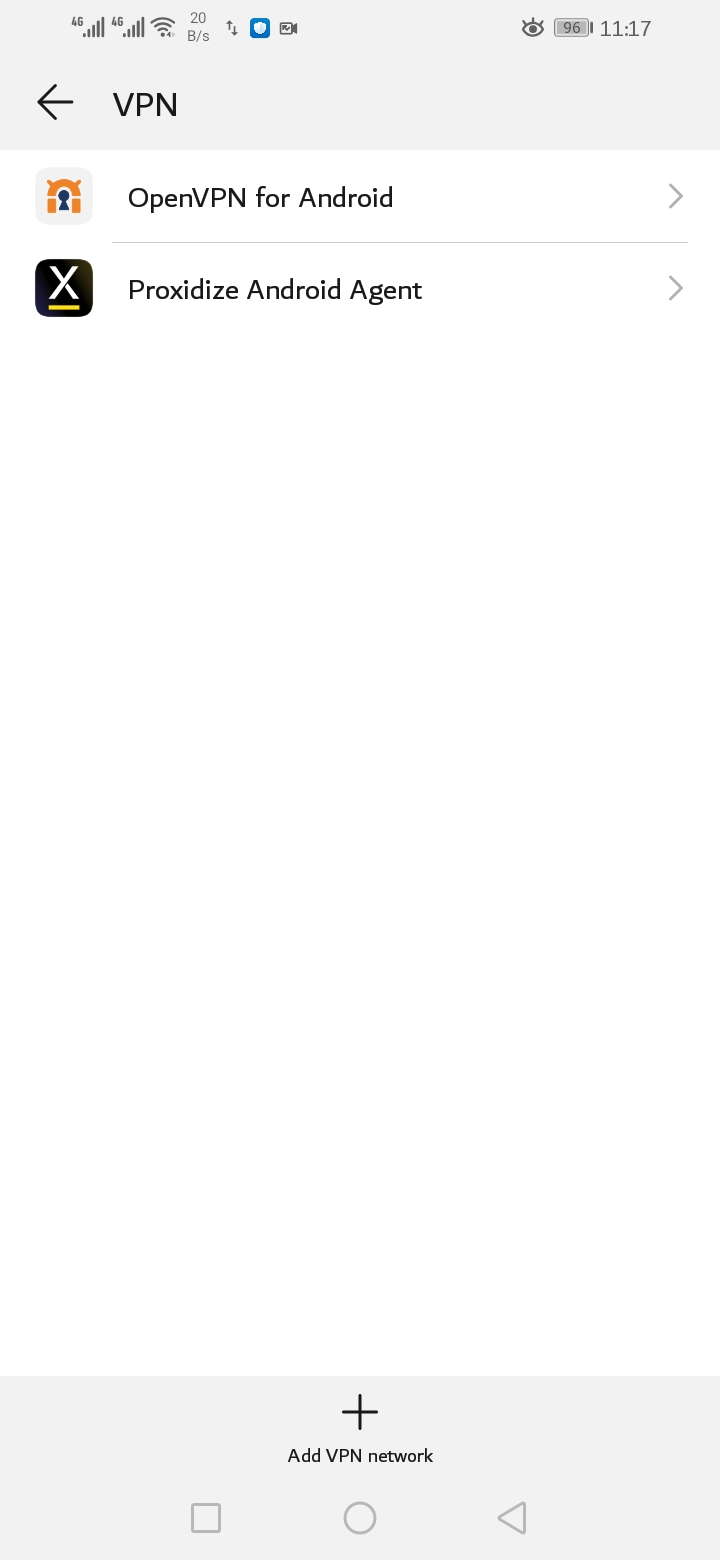
Hello @kqvanity , thank you for providing the screenshot, I will be checking in with the dedicated team and keep you updated.
Hello @kqvanity , can you please uninstall OpenVPN and follow these steps to fix the issue:
Go to the home screen of the phone, press and hold the “Proxidize Android Agent app” until a list shows up >> App info or icon “ⓘ” >> Force Stop >> Connect the app again
Please let me know if you have any questions and if the issue is resolved after these steps.
I did exactly that. I’ve also reconnected the phone by scanning the QR code & assigning a new name to the device, but still the same issue.
The device shows connected in the hosts page, but a red led icon in the endpoints page
Hey @kqvanity!
We’re sorry to hear that you’re still facing issues,
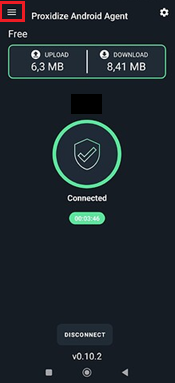
We can see that the phone is disconnected from the dashboard’s side, could you please provide us with a screenshot showing the status indicators on the app to help us isolate this further?
You can access this by clicking on the menu button located on the top left corner of the app:
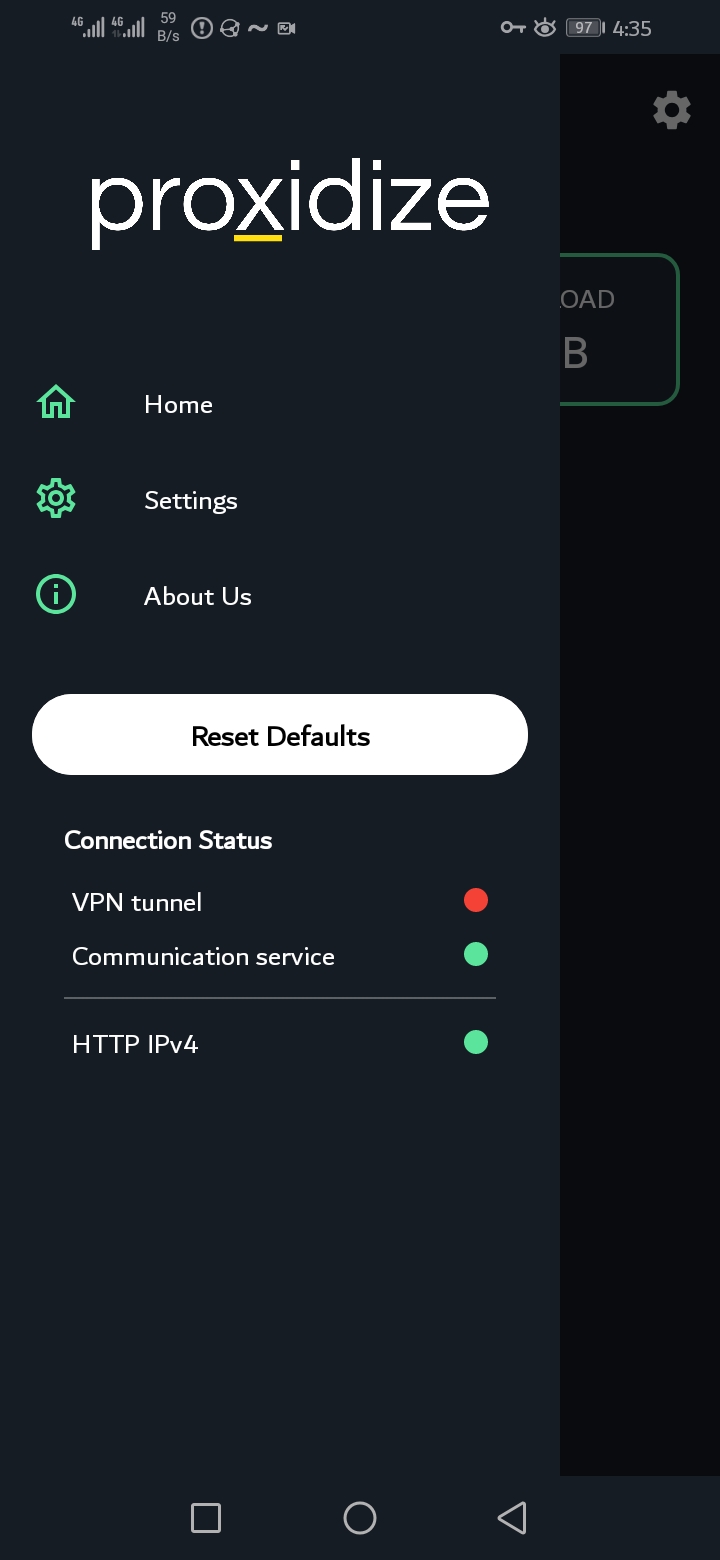
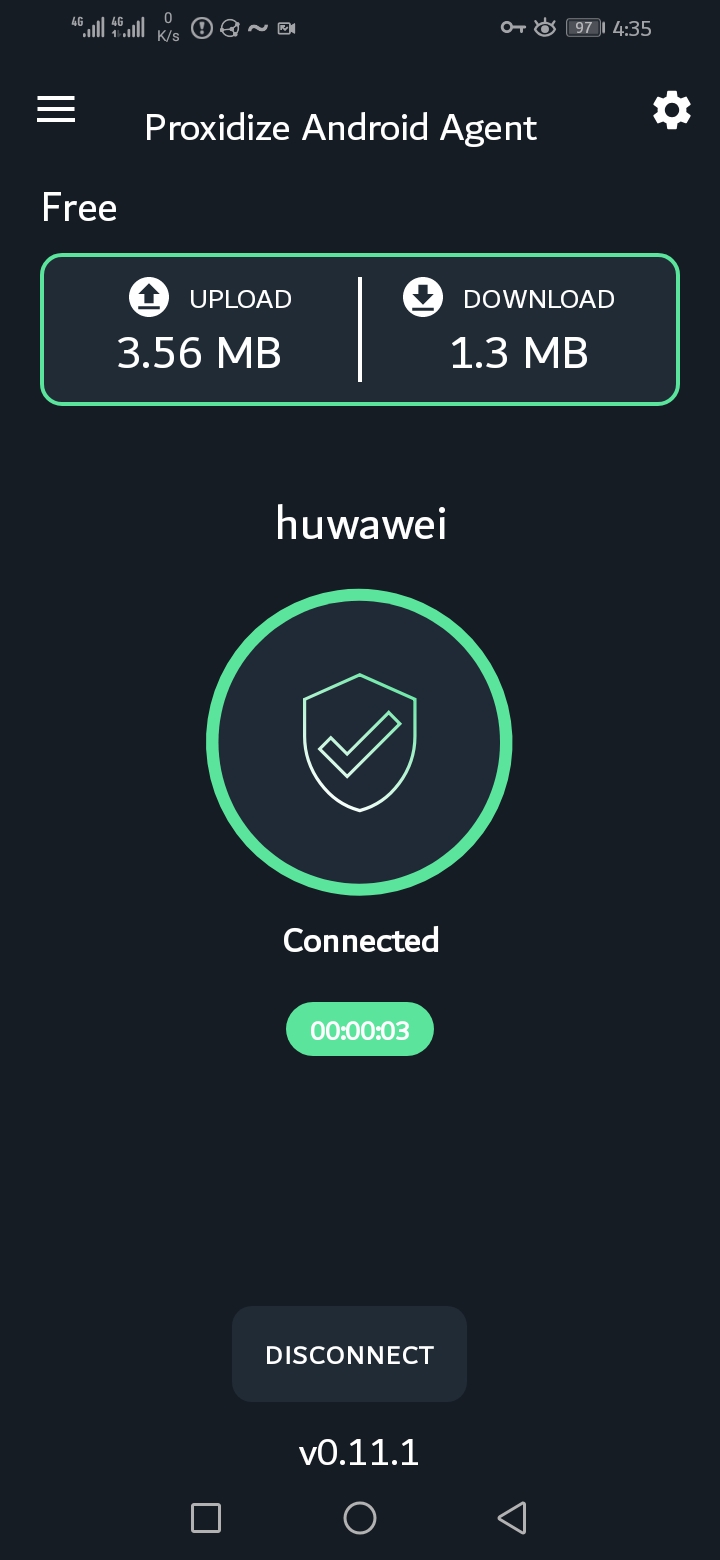
@Basketball19 Last two screenshots
Hello @kqvanity,
It seems like there’s a VPN tunnel active on your phone, just not Proxidize’s.
Could you please confirm if you’ve uninstalled OpenVPN?